 PlayPiano
Off the record
Live feedback at your own pace. Wait mode holds the music until you find the key. One hand while the app plays the other, a slower tempo, a loop of a few bars. Kept as practice, never as a score.
Piano practice for iPhone and iPad
Free to start. First Notes, every game and the metronome stay free. Maestro adds more music, more coaching and more memory.
Tap a key to hear it.
Turn off silent mode to hear it.

Scan with your iPhone or iPad
PlayPiano is for iPhone and iPad.

Feedback on every note
A free piano course, short games and an AI practice plan, with feedback that only ever tells you the truth. Right, early, late or missed: every note you play is marked on the page as you play it.
You choose what a session is for before it starts. A learning run never gets a number. A graded run gets seven, each counted only when the music and your keyboard can carry it, and the report names the one thing to work on next.
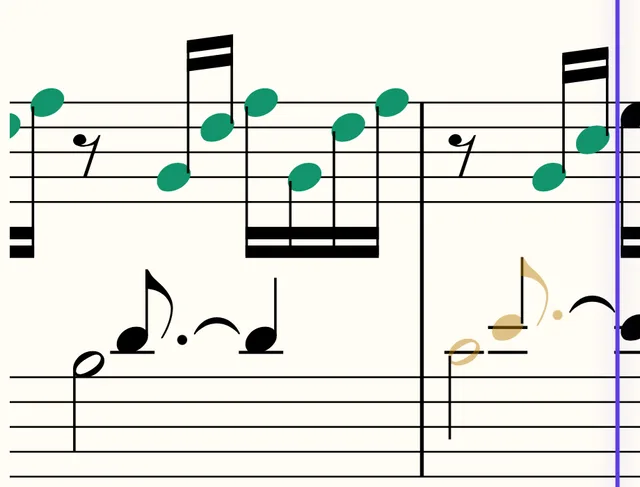
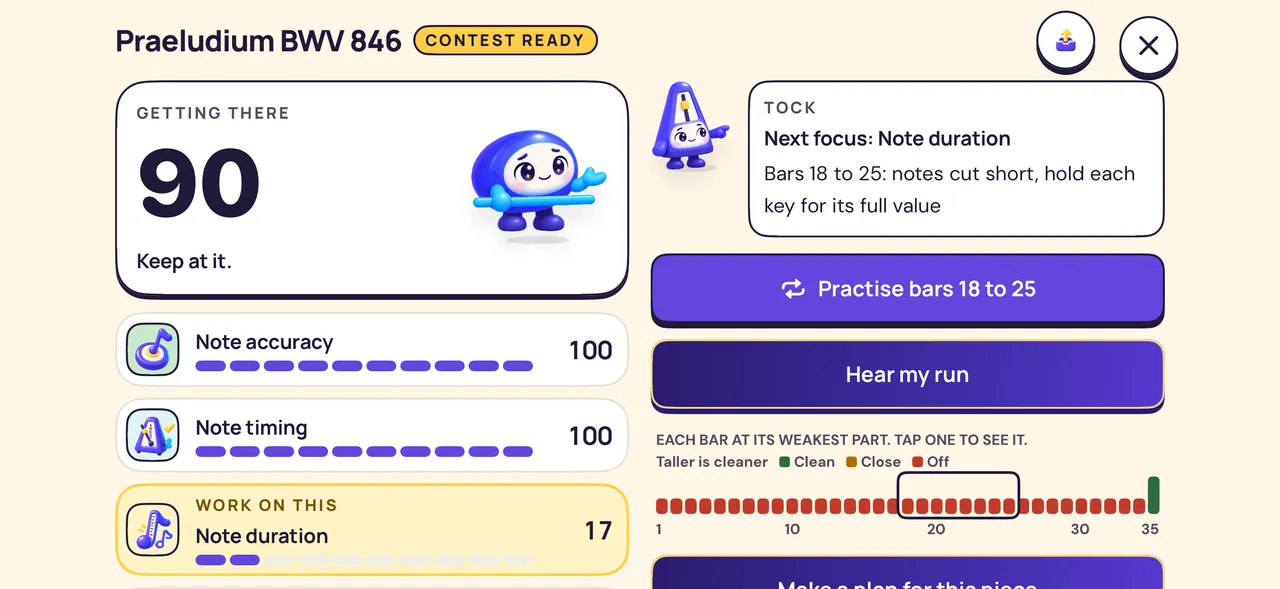
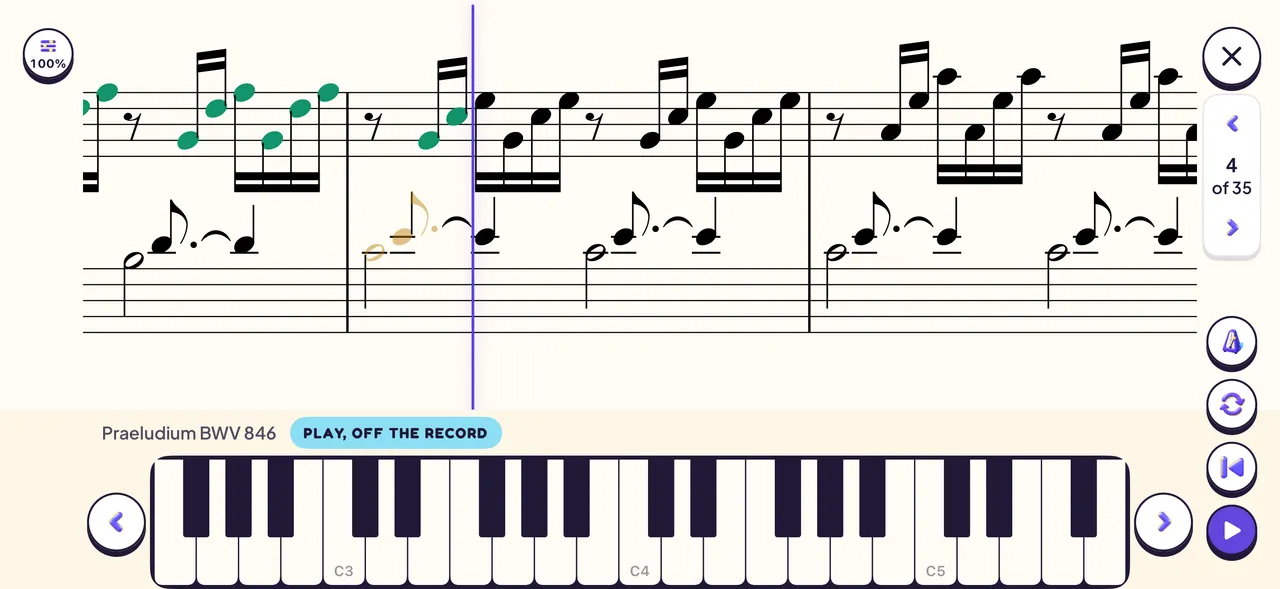
Live feedback at your own pace. Wait mode holds the music until you find the key. One hand while the app plays the other, a slower tempo, a loop of a few bars. Kept as practice, never as a score.
With Maestro, an AI practice plan reads the piece, finds the hard bars and sets up each passage with its drill. Fingers appear on the keys for the bar you are playing. Everything a machine wrote is marked.
The whole piece, both hands, nothing waiting, between half and full tempo, on a MIDI keyboard. The only run that keeps a score, and only when it reaches the end.
Every session leaves plain facts: how far you got, how much went clean, at what tempo. The app speaks up only when something got better. It never says a run was worse.
AI practice plans, with Maestro
Give the coach a piece and it reads every bar, then writes a plan the way a teacher would. Start each session with a card or two from the top, then carry on with the next passage, until you play the whole piece.
Get PlayPiano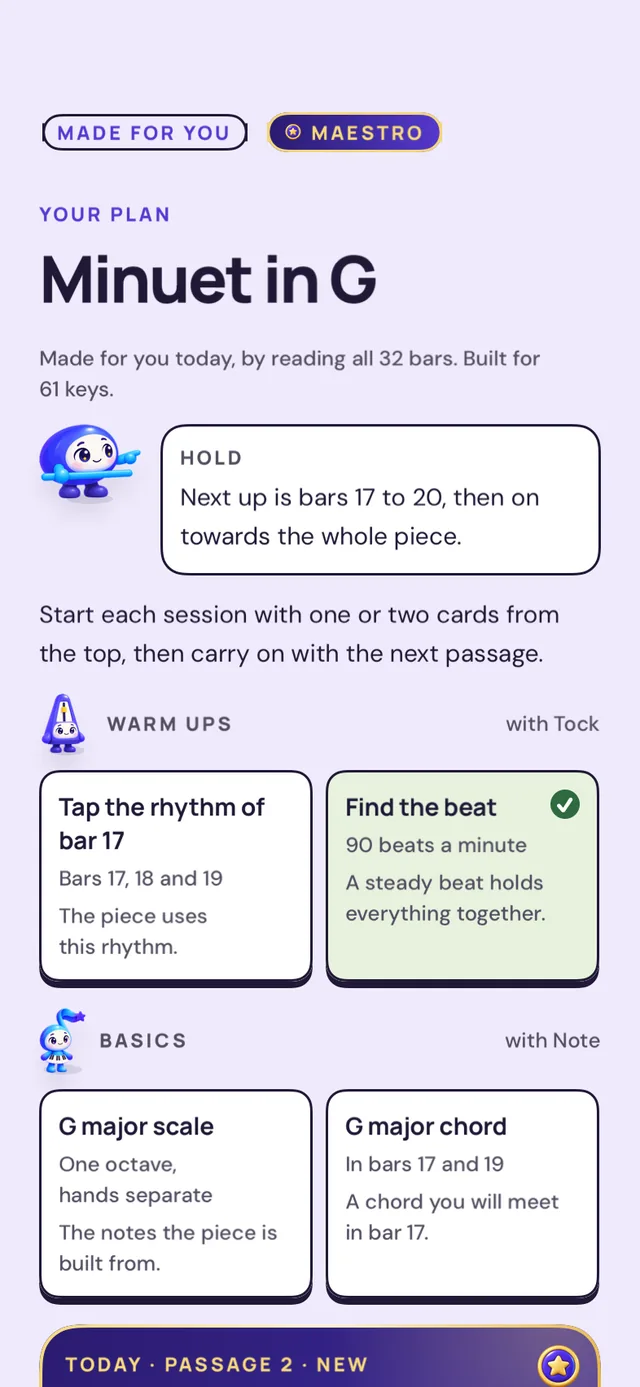

Tap the rhythm of the bar you are about to meet, or find the beat at its tempo.
The scale, the chords and the notes the piece is built from, each a short game.
Each one slow first, then up to tempo. When a bar leans on something new, the plan sets a short step before it and says why it helps.
A play through from start to end, and a Grade run when you are ready to hear how it went.
One new plan a day with Maestro. Plans are kept on your account through Sign in with Apple, so they come back on any phone. A few pieces come with a plan already written, open to everyone. Your score file never leaves your device: the coach reads a summary of each bar. Everything a machine wrote is marked.
Today and Learn
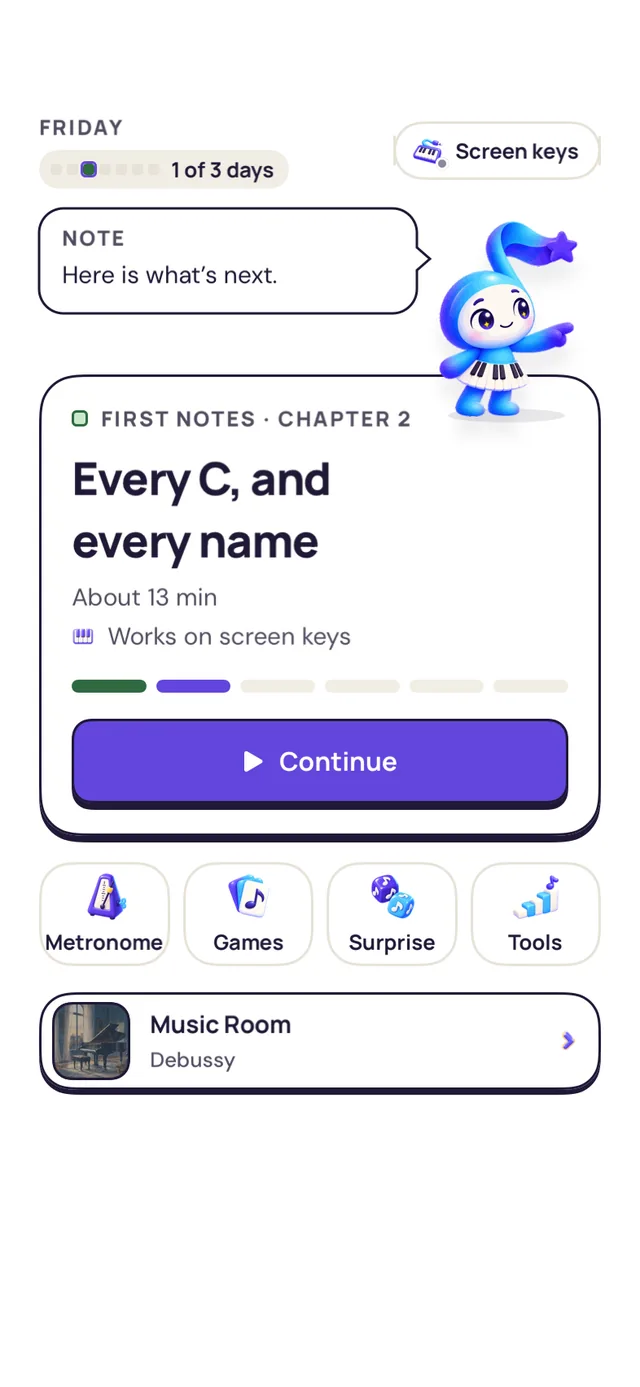
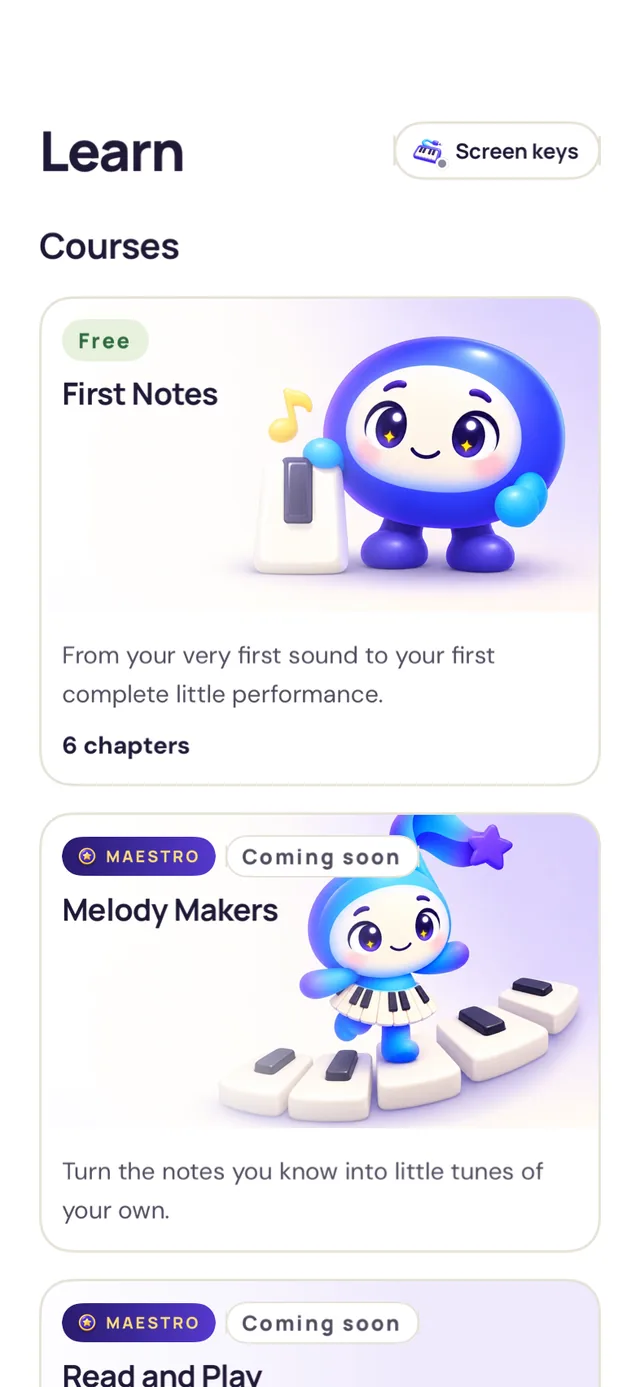
Today opens on the one thing to do now: your next chapter, the passage you were working on last night, or a game that is due. Learn holds the courses, each on its own page, never a locked path.

Free in your browser
A piano that names chords, a metronome, the circle of fifths and two games. Nothing to sign up for, nothing stored.
ToolOnline pianoHold a few keys and it names the chord, with its inversion.Open the piano → ToolMetronome30 to 300 BPM, tap tempo, time signatures and subdivisions.Open the metronome →ToolCircle of fifthsTap a key to see its signature, its chords and its scale.Open the circle →
 GameName the noteTen notes a round on the staff. Treble, bass or both.Play the game →GameFind the beatTock counts you in. Tap along and see if you lean early or late.Play the game →ReferenceChords and scalesNotes, fingering and the staff for every major and minor chord and scale.See them all →
Practice games
Every level is open from the first day. A level clears on two different days, so what you can do on Tuesday you can still do on Friday. The pulse games take taps on a pad; Spot the change, Major or minor, Listen and tell and Name the note take answer keys; Play it back, Half a minute, Step or skip and the Hands games need a MIDI keyboard.








 A round never asks you to clap, never takes a heart away and never names an exam board. A stopped round is simply not counted.
The Music Room
Real editions, engraved on the page you practise from. Every piece comes with the story behind it, a Did you know, its mood, an estimated level and a Hear it key, so you can listen before you open it. Shelves sort by what is within your reach.

These pieces are open to everyone, with Hear it on every piece. The rest of the room is part of Maestro. Levels are estimates, and the catalogue grows.
 PlayPiano Maestro
A subscription, inside the app
Nothing a free player can do is ever moved behind Maestro. Maestro is built from more music, more coaching and more memory.
Coming to Maestro
Eight things on the way, released one at a time after the redesign, in the order they are ready. None of them is in the app yet, and we are not promising a date for any of them.
One Maestro for the household through Apple Family Sharing, each person on their own device.
Your pieces, history and course progress on your phone and your iPad, in your own iCloud.
Hear my run, kept. Listen to a run from March next to today's, played back through the app's own piano.
A session of short reads whose level moves with you, and a level kept over time. A level, never a score out of 1900.
The sheet music you already own, read into a score you can play, grade and plan. The first scan is free.
"Why do I keep missing bar 12?" answered in words, from the facts of your run. Never the audio, never the file.
The second part of a duet, or the other hand of a piece, played by the app at your tempo and waiting with you.
Three against two on the metronome, your own click patterns, and quick check sets you build yourself.
 This is a roadmap, not a promise. Each of these ships only once it works, and the order can change. What Maestro includes today is listed above; if a line here matters to you, wait for it to arrive before you subscribe.
Two ways to play
USB or Bluetooth MIDI. The app measures your keyboard's delay once, so timing is judged fairly. A Grade run needs a keyboard: a score earned on the glass is not comparable with one on weighted keys, so it is never kept.
Get connected
First Notes, the metronome and every Play session work on the screen keys of your iPhone or iPad. In the games, the pulse games take taps on a pad, Spot the change, Major or minor and Listen and tell take answer keys, and Name the note answers by letter or key. Play it back, Half a minute, Step or skip, Scale run, Mirror and Arpeggio ladder need a MIDI keyboard.
How to practise a hard passageOn iPhone, the practice screen, lessons, sight reading, the metronome, the score reader, every practice tool but the Ear player, and the games that show a keyboard or a staff (Play it back, Half a minute, Step or skip, Scale run, Mirror and Arpeggio ladder) turn to landscape; everything else stays portrait, Name the note and the other games included. On iPad, everything is landscape except the first run onboarding, which is portrait, and the score reader, which turns any way. The app does not read notes from an acoustic piano yet: listening by microphone is coming soon.
Connect a USB or Bluetooth MIDI keyboard, and get ready to play.
Read the guide →02From a MusicXML or MIDI file to a score on your music stand.
Read the guide →03Slow it down. Take one hand. Loop the bars that need you.
Read the guide →Good questions
You can begin with the on-screen keys on your iPhone or iPad. A compatible MIDI keyboard gives you real-key practice and is required for a Grade run to keep its score. Touch practice does not measure dynamics or pedal.
PlayPiano reads notes from MIDI or the on-screen keys. It does not recognise the notes of an acoustic piano yet; listening by microphone is coming soon.
First Notes, every game, the metronome, your own imported music, ten pieces of the Music Room and the practice plans that come with the app are free, with no account. Maestro is an optional subscription that adds the whole Music Room, a new AI practice plan each day, the full report, the score reader with PDFs and every practice tool. Prices are shown in the App Store for your region.
Today: the whole Music Room, Work with the coach, the full seven-part report, the score reader and PDF export, and every practice tool. The eight features under Coming to Maestro are planned and not yet in the app; they ship one by one, with no dates promised.
With Maestro, the coach reads every bar of a piece and writes a plan: warm ups from the piece's own rhythms, basics in its key, then short passages in order, each slow first and then up to tempo. You finish a passage by playing it as written, and the plan ends with the whole piece. You can make one new plan a day.
No account is needed to play, take First Notes, play the games or use the Music Room's open pieces. Making a practice plan with Maestro needs Sign in with Apple, so your plans are kept and come back on any phone. You can hide your email from us when you sign in.
Not yet. Import MusicXML (.xml, .musicxml or .mxl) and MIDI (.mid or .midi) files from Files. Scanning a PDF or photo is on the Maestro roadmap. Only import music you have the right to use.
The course, the games, your pieces and saved practice plans work offline. The Music Room fetches a piece the first time you open it and keeps it. Making a new AI practice plan needs a connection. Your score file never leaves your device; a summary of each bar is what gets sent, never the file or its name.
iPhone and iPad with iOS 17 or iPadOS 17 or later. On iPhone, the practice screen, lessons, sight reading, the metronome, the score reader, every practice tool but the Ear player, and the games that show a keyboard or a staff (Play it back, Half a minute, Step or skip, Scale run, Mirror and Arpeggio ladder) turn to landscape; everything else stays portrait, Name the note and the other games included. On iPad, everything is landscape except the first run onboarding, which is portrait, and the score reader, which turns any way. USB may need a compatible adapter, and Bluetooth must support Bluetooth MIDI.
You choose one before a session starts. Play is for exploring with live feedback and is never scored. Coach works through one passage of a practice plan. Grade is one run of the whole piece with both hands and nothing waiting, from half to full tempo, on a MIDI keyboard; it is the only mode that keeps a score, and only when the run reaches the end.
Your next note is waiting
Bring your curiosity. Tock, Note, Swell and Hold will help with the practice.
Download on the App StoreNew this October: AI practice plans, First Notes and the practice games.
Piano sound on this page from the FluidR3 sound font, MIT licence.


